From Chaos to Clarity: Why Folder Structure Matters
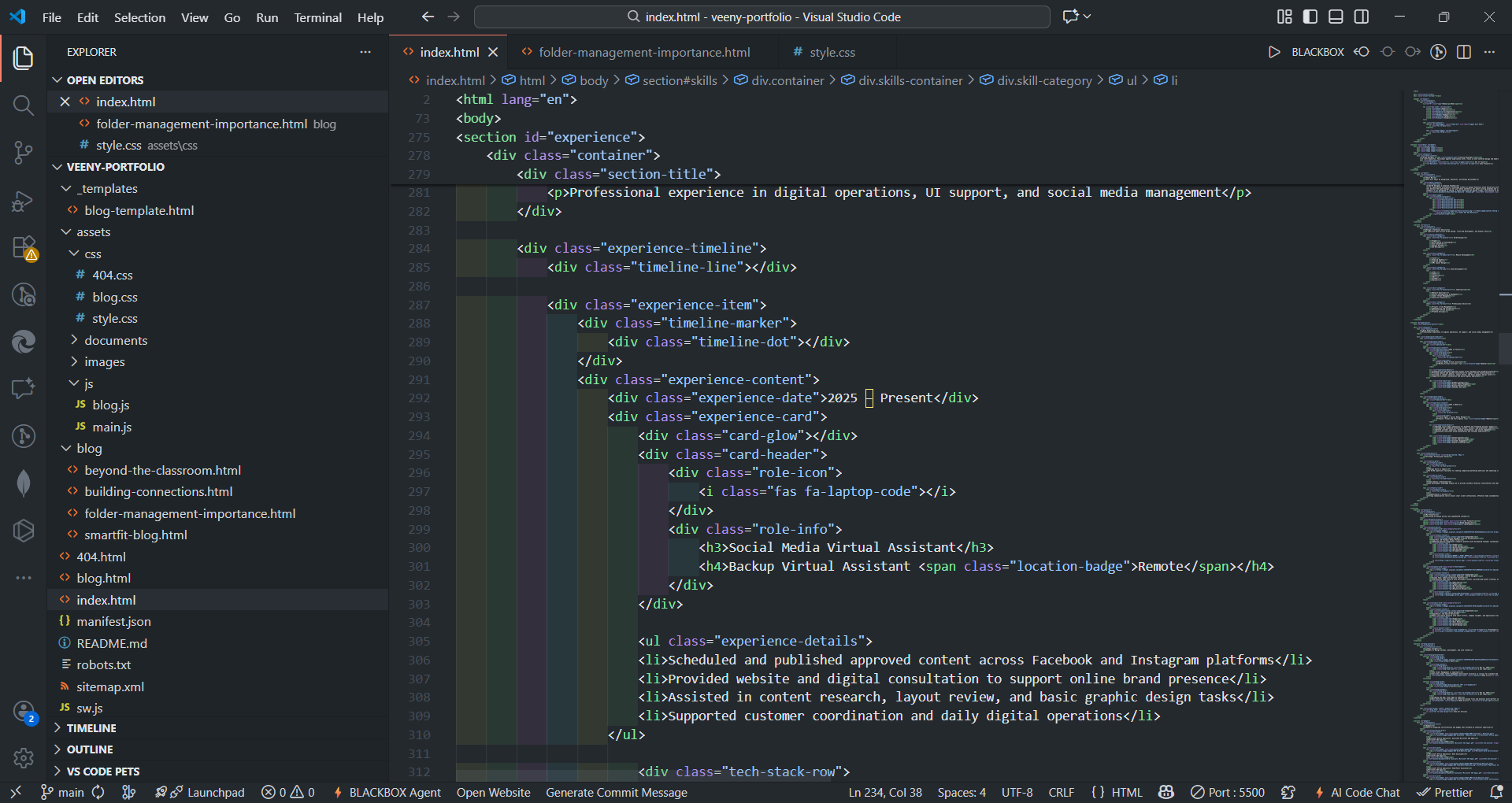
When I started building this portfolio, I was eager to jump straight into the code. I created an index.html, a CSS file, and started dropping images into the root folder. It worked fine... for the first hour.
But as I added more pages, blog posts, and assets, my project directory started to look like a messy room. I realized that if I couldn't find my own files quickly, how could I expect to manage larger, team-based projects in the future?
💡 The Realization
A website is like a house. If you throw your clothes, kitchen utensils, and books into one big pile in the living room, you can technically "live" there—but it's chaos.
Proper folder management isn't just about being neat; it's about maintainability and professionalism.
My Current Folder Ecosystem
To solve this, I stopped coding and reorganized my entire directory. I adopted a modular structure that separates concerns (HTML, Assets, Styles, Scripts). Here is the exact structure I am using right now:
├── index.html <!-- Main Homepage -->
├── blog.html <!-- Blog Listing -->
├── 404.html <!-- Error Page -->
│
├── /assets/ <!-- The core resources -->
│ ├── /css/
│ │ ├── style.css <!-- Global Design -->
│ │ └── blog.css <!-- Blog Specifics -->
│ ├── /js/
│ │ ├── main.js
│ │ └── blog.js
│ ├── /images/
│ │ ├── /badges/
│ │ └── /favicon/
│ └── /documents/ <!-- Resume & PDFs -->
│
├── /blog/ <!-- Individual posts live here -->
│ └── folder-management.html
│
└── /_templates/ <!-- Master copies for consistency --> └── blog-template.html
Why This Structure Works
Transitioning to this structure solved three specific problems for me:
1. Separation of Concerns
By moving styles into /assets/css/ and scripts into /assets/js/, I know exactly where to look when I need to fix a bug. I don't have to scroll past 20 image files just to find my stylesheet.
2. Scalability
I currently have a few blog posts, but what if I write 50? By keeping them in a dedicated /blog/ folder, my root directory stays clean. This allows the project to grow without becoming unmanageable.
3. Asset Management
Grouping images by category (like /badges/ or /projects/) prevents naming conflicts. It also makes it easier to optimize specific types of images in batches later on.
"A clean codebase is a happy codebase. It reduces cognitive load and lets you focus on creating, not searching."
Key Takeaways for Students
If you are building your first portfolio, here is my advice:
- Start Organized: It is much harder to reorganize file paths after you've written the code. Do it day one.
- Use Standard Naming: Use lowercase and hyphens (e.g.,
my-image.jpg). It prevents issues when deploying to different servers. - Template Your Work: As you can see in my structure, I have a
/_templates/folder. This saves me hours of work every time I create a new post.
Conclusion
This mid-project cleanup was a valuable lesson. Folder management might not be the most glamorous part of Web Development, but it is the skeleton that holds the design together. By treating my file structure with the same care as my UI design, I am building a portfolio that is robust, professional, and ready for growth.